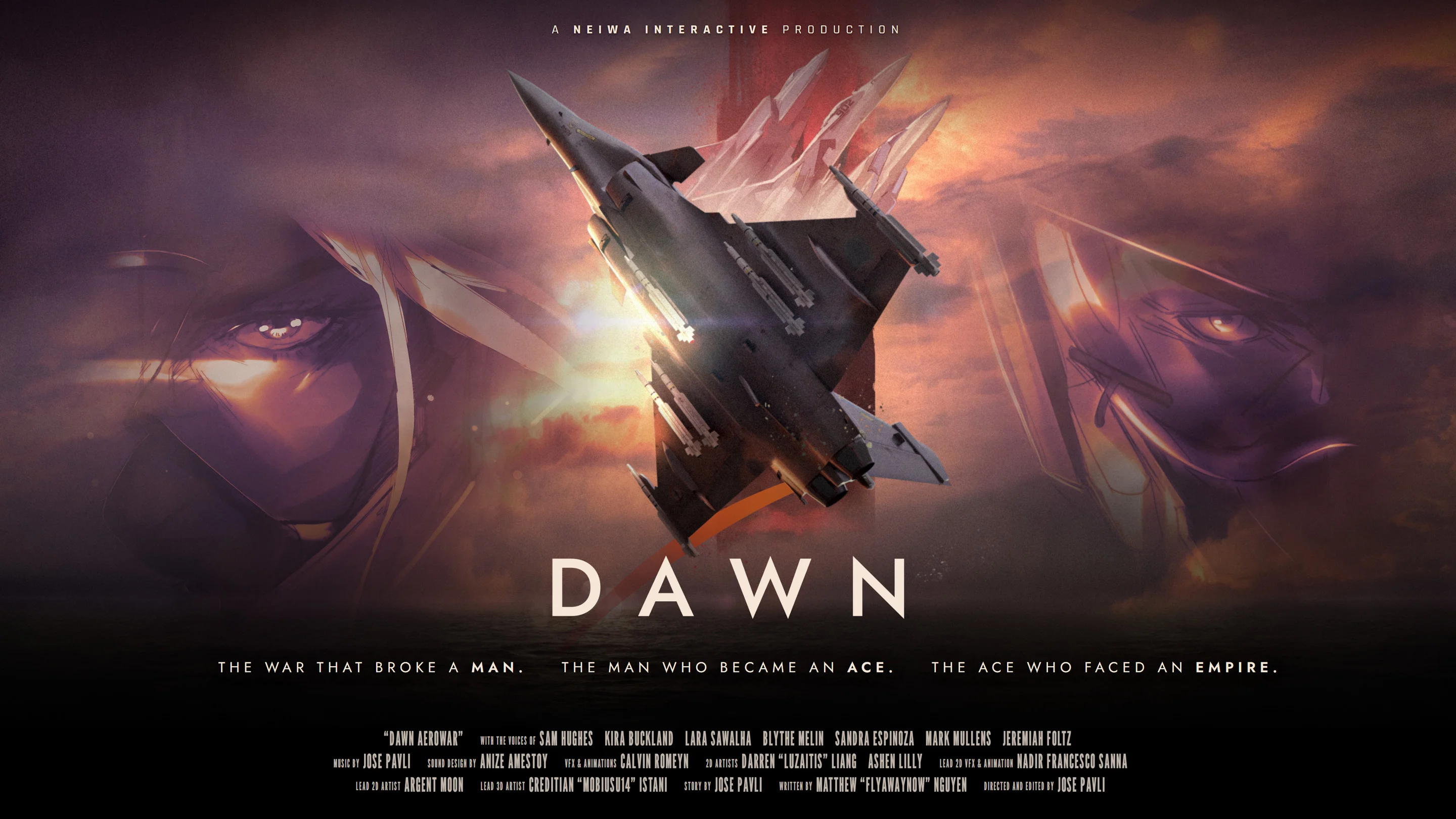
- Dawn Aerowar choices focus on viewing modes, episode selection, and chapter navigation.
- Cinematic mode is the best starting point for a guided, film-like experience.
- Map selection lets you revisit available chapters without treating the story like a combat campaign.
- Episode order follows a 12-part animated war narrative lasting nearly two hours.
- Best approach is to watch the main route first, then revisit chapters for details and atmosphere.
Dawn Aerowar Choices Explained
Dawn Aerowar choices are primarily interactive viewing decisions, not traditional branching dialogue or combat selections. The project is presented as an animated war story that combines 3D aircraft animation, 2D artwork, voice acting, and chapter-based navigation. Your main decisions involve how to watch the story, which episode to open, and when to revisit a specific section.
The central experience follows Zodiac 1 during a final mission near the end of a major conflict. The route moves through the Northern Front, the Strait, the Aegis Sea, and the capital. Because the narrative is organized as a film-like sequence, choosing an episode changes your viewing point rather than creating a confirmed alternate ending.
| Choice Area | What You Decide | Expected Result |
|---|---|---|
| Viewing mode | Cinematic presentation or interactive browsing | Changes how you access the animated story |
| Episode selection | Which of the 12 episodes to open | Starts the selected chapter or story segment |
| Map navigation | Which available location or chapter to revisit | Returns you to a chosen part of the route |
| Replay timing | Whether to continue or review an earlier scene | Helps track story details, pilots, and locations |
Choose Cinematic mode for your first viewing. It keeps the story flow clear and lets the mission progress naturally before you explore individual chapters through the map.
Cinematic Mode
- Best for a first watch
- Preserves film-like pacing
- Keeps the mission route easy to follow
Episode Selection
- Useful for targeted viewing
- Helps revisit a specific chapter
- Supports flexible progress through the 12-part structure
Map Navigation
- Connects story locations
- Highlights the wider war route
- Makes chapter replay easier to organize
Scene Replay
- Helps review dialogue
- Supports lore and character research
- Useful after completing the main route
Episode Order and Story Route
The safest way to understand the narrative is to follow the intended route from the beginning. Dawn Aerowar is structured as 12 episodes with nearly two hours of total content. The available descriptions identify the broad journey rather than a complete public list of episode titles, so the route below uses confirmed story stages instead of inventing chapter names.
The story begins with Zodiac 1’s final mission and gradually expands from a localized military operation into a wider journey across major theaters of war. Watching in sequence helps preserve the significance of radio transmissions, ace pilots, and the conflict between the Free Nations and the Saal’Runa Empire.
| Route Stage | Story Focus | Recommended Choice |
|---|---|---|
| Final mission setup | Zodiac 1 receives a decisive assignment | Start from the first available episode |
| Northern Front | Establishes the military situation and battlefield scale | Continue in sequence |
| The Strait | Expands the operation into a new combat zone | Avoid skipping during the first watch |
| Aegis Sea | Broadens the mission and raises the stakes | Revisit after learning the major factions |
| The capital | Brings the operation toward its final stage | Save detailed analysis for the end |
Begin at the First Episode
Start with the earliest available chapter rather than selecting a later location from the map. The opening establishes Zodiac 1, the wartime situation, and the purpose of the final mission.
Follow the Northern Front
Continue through the Northern Front section to understand the scale of the conflict and the pressure facing the protagonist side.
Move Through the Strait
Keep the intended order as the route enters the Strait. This stage links the opening military situation with the larger journey across the war zone.
Cross the Aegis Sea
Use the next available chapter or map location to follow the mission across the Aegis Sea. Watch for changes in setting, radio communication, and opposing forces.
Reach the Capital
Complete the route toward the capital before analyzing the ending. The final stage is easier to interpret after the full mission context is established.
Opening a later episode may reveal context about the mission or its opposing pilots before the story establishes it. Use chapter selection mainly for replaying content after your first route.
How to Use the Map and Episode Selection
The map is best understood as a story navigation tool. It gives the interactive animated feature a sense of place and lets viewers move between available chapters. It does not function like a traditional strategy map with resource nodes, combat encounters, or upgrade paths.
When choosing a chapter, consider your purpose. A first-time viewer should prioritize continuity. A returning viewer may want to compare locations, revisit a character appearance, or review how the mission advances from one theater to another.
| Viewing Goal | Recommended Selection | Why It Works |
|---|---|---|
| First watch | Earliest available episode | Establishes the narrative in order |
| Story recap | Most recent completed chapter | Restores context quickly |
| Location review | Map stage tied to the Northern Front, Strait, or Aegis Sea | Connects scenery with the mission route |
| Character review | Chapter featuring Zodiac 1 or an Imperial Ace | Helps compare the pilot perspectives |
| Ending analysis | Final capital-related chapter | Preserves the full setup before interpretation |
Use the following routine when opening the map:
- Check whether the chapter is already available for viewing.
- Confirm its location within the larger mission route.
- Choose the earliest unseen section if you are continuing the story.
- Select a completed chapter when reviewing dialogue, visuals, or character appearances.
- Return to Cinematic mode when you want a continuous presentation again.
Map selection improves access to the story, but it should not be treated as evidence of multiple confirmed story endings. Current information supports chapter navigation and replay, not a documented branching conclusion.
| Feature | Suitable Use | Not Confirmed |
|---|---|---|
| Map interface | Selecting or revisiting chapters | Free-roaming exploration |
| Episode browser | Opening a specific story segment | Unlimited procedural missions |
| Cinematic mode | Watching the narrative with film-like pacing | A separate combat campaign |
| Replay function | Reviewing scenes and dialogue | Permanent choice-based rewards |
Character and Faction Choices to Track
Although Dawn Aerowar does not present confirmed build choices or class selections, viewers can make useful interpretive choices about which story elements to follow. The main character focus is Zodiac 1, while Reaper, Freya, and Miracle are identified as Imperial Ace pilots connected to the opposing side of the aerial conflict.
Tracking these pilots improves the value of episode replay. Instead of watching every chapter only for aircraft movement, note how the story presents identity, duty, rivalry, and the pressure of the final mission.
| Character | Role | Viewing Focus |
|---|---|---|
| Zodiac 1 | Central pilot and mission unit | Follow the final mission and changing battlefield conditions |
| Reaper | Imperial Ace pilot | Compare the opposing ace perspective with Zodiac 1 |
| Freya | Imperial Ace pilot | Track her place within the Imperial pilot lineup |
| Miracle | Imperial Ace pilot | Observe how another ace contributes to the aerial conflict |
Track the Mission
Focus on what Zodiac 1 must accomplish, where the route moves, and how each theater changes the operation.
Track the Aces
Compare Reaper, Freya, and Miracle as Imperial opponents rather than assuming their complete personal histories.
Track the World
Note the relationship between the Free Nations, the Saal’Runa Empire, and the war zones shown through the route.
Before You Replay a Chapter:
- Identify the episode or map location you want to review
- Check whether the scene belongs to the Northern Front, Strait, Aegis Sea, or capital route
- Note which pilot or faction is central to the section
- Separate confirmed story details from personal interpretation
- Return to Cinematic mode when you want the complete film-like flow
Finish the main route before ranking the pilots or interpreting the conflict. The full sequence gives better context than judging a character from one isolated chapter.
Practical Viewing Tips and FAQ
Dawn Aerowar works best when you treat its choices as tools for managing a cinematic story. The interactive elements add flexibility without replacing the core animated presentation. For most viewers, the ideal pattern is simple: watch in order, use the map for orientation, and replay selected chapters after the ending.
The project is planned for Windows through Steam, with English voice acting and subtitles in English, French, Italian, German, and Spanish. Check the official Dawn Aerowar website and the official Steam page for release updates as 2026 progresses.
| Viewer Type | Best Choice Pattern | Main Benefit |
|---|---|---|
| First-time viewer | Cinematic mode, then episode order | Clear narrative pacing |
| Lore-focused viewer | Sequential watch, followed by map replay | Better faction and location context |
| Character-focused viewer | Complete route, then ace-centered chapters | Easier pilot comparison |
| Short-session viewer | Select one available episode at a time | Flexible viewing without losing chapter structure |
Do not search for traditional loadouts, skill trees, or branching rewards when planning your route. The strongest Dawn Aerowar choices are about pacing, chapter access, and how you revisit the animated war story.
Q: What do Dawn Aerowar choices change?
The confirmed choices concern Cinematic mode, episode selection, map navigation, and replay. They organize how you view the animated story rather than confirming combat builds or alternate endings.
Q: Should I use Cinematic mode first?
Yes. Cinematic mode is the clearest starting point because it presents the mission with film-like pacing and reduces the chance of skipping important setup.
Q: Can I choose any episode immediately?
The available information confirms episode and map selection features, but it does not establish that every chapter is available from the beginning. Follow the displayed availability in your version.
Q: Does Dawn Aerowar have branching story endings?
No branching endings are confirmed in the available official information. Current descriptions support chapter navigation and replay, so avoid treating map selection as proof of alternate conclusions.