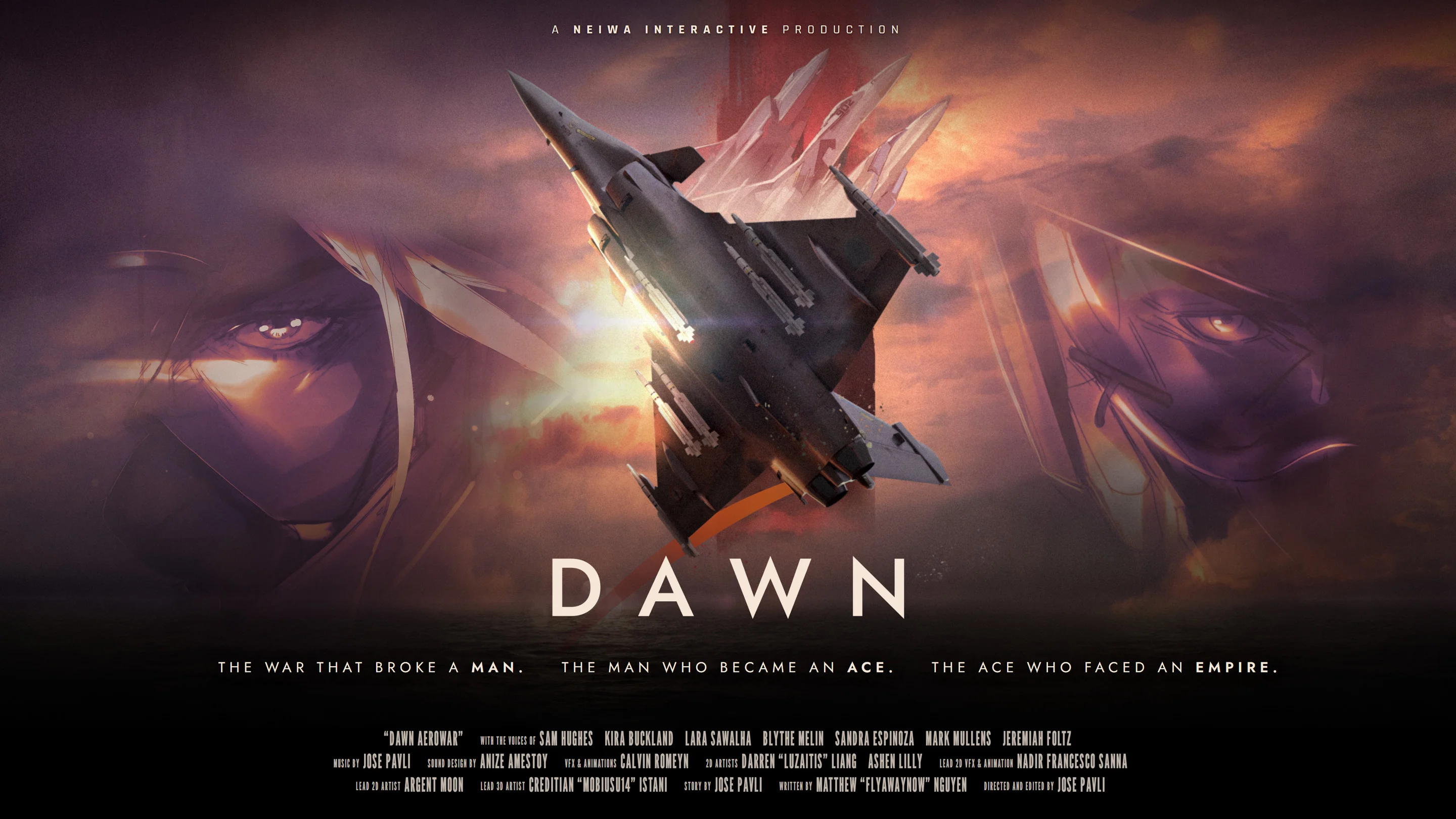
- Dawn Aerowar choices guide: Focuses on viewing modes, episodes, and chapter navigation.
- Cinematic mode: Choose it for a film-like presentation centered on story and atmosphere.
- Episode selection: Use the episode menu to begin or revisit specific parts of the 12-part narrative.
- Map chapters: Navigate the map to access available story sections and revisit earlier scenes.
- Choice expectations: The known interaction centers on viewing control, not combat builds or branching stat systems.
What the Choices Actually Mean
Dawn Aerowar is an interactive animated war story rather than a conventional flight simulator. This Dawn Aerowar choices guide therefore treats “choices” as decisions about how to experience the film: selecting a viewing mode, opening an episode, or choosing a chapter from the map.
The project combines 3D aircraft animation, 2D artwork, full English voice acting, and a chapter-based structure. Its planned presentation includes nearly two hours of content divided into 12 episodes, so navigation choices are important for viewers who want to follow the main mission in order or revisit a specific scene.
Start with the first available episode in Cinematic mode if this is your first viewing. Save map exploration and chapter revisits for a second pass through the story.
| Choice Area | What You Select | Best Use |
|---|---|---|
| Viewing mode | Cinematic mode or another available presentation option | First-time story viewing |
| Episode menu | One of the available episodes | Starting or revisiting a section |
| Map interface | A chapter or story location | Exploring the narrative structure |
| Replay route | Previously viewed material | Reviewing scenes, dialogue, or visual details |
The story follows Zodiac 1 during a decisive final mission connected to a larger war between the Free Nations and the Saal'Runa Empire. The route moves through the Northern Front, the Strait, the Aegis Sea, and eventually the capital. These locations help organize the narrative, but they should not be treated as separate open-world zones or selectable combat missions.
Cinematic Mode
A presentation choice designed to emphasize film-like pacing, aerial action, atmosphere, and voice-acted storytelling.
Episode Selection
A direct way to begin a specific part of the 12-episode structure or return to an earlier section.
Map Navigation
A visual method for selecting chapters and understanding how the story moves across its wartime route.
Replay Viewing
A useful option for revisiting scenes, pilot interactions, radio transmissions, and visual details.
Best First-Time Viewing Choices
For a first playthrough, the safest approach is to preserve the intended narrative order. Dawn Aerowar is structured like an animated feature with interactive access points, so skipping ahead can reveal context before the story has established its characters, factions, and mission goals.
The opening stages introduce Zodiac 1’s final operation and establish the conflict surrounding the mysterious weapon being escorted. Later sections expand the route toward the Strait, Aegis Sea, and capital. Watching in sequence makes those transitions easier to follow.
Choose Cinematic mode, begin with the earliest available episode, and follow the chapter order until the final mission reaches the capital.
| Viewing Goal | Recommended Choice | Reason |
|---|---|---|
| First story experience | Cinematic mode and episode order | Preserves pacing and narrative context |
| Learning the war setting | Start at the earliest chapter | Establishes the Northern Front and central conflict |
| Understanding the mission route | Follow the map from north to capital | Keeps the geographic progression clear |
| Reviewing a favorite scene | Select its episode or map chapter | Avoids replaying the entire feature |
| Studying the pilots | Watch in sequence before revisiting character scenes | Introduces relationships in context |
Step-by-Step First Viewing
Choose the Cinematic Presentation
Select Cinematic mode when available. This is the strongest starting point for viewers who want the animated feature to feel like a continuous war film rather than a menu-driven collection of scenes.
Open the Earliest Episode
Begin with the first available episode instead of jumping directly to a later location. The opening establishes the final-mission premise and introduces the situation surrounding Zodiac 1.
Follow the Story Route
Continue through the Northern Front, the Strait, and the Aegis Sea as the narrative advances. These locations provide the broad structure for the mission’s movement.
Reach the Capital in Order
Continue toward the capital without skipping ahead unless you are deliberately replaying content. This preserves the escalation of the final operation.
Use the Map for Replays
After completing the available story, return to the map and select individual chapters to review dialogue, aircraft scenes, or character moments.
The best “choice” is usually the one that matches your viewing goal. New viewers should prioritize order and atmosphere. Returning viewers can use the map and episode menu to focus on specific locations, pilots, or transitions.
Episode and Map Navigation
Dawn Aerowar’s interactive design is centered on access rather than traditional gameplay progression. The map functions as a chapter-selection tool, while the episode menu organizes the feature into manageable sections. Neither system should be assumed to provide character leveling, equipment upgrades, branching statistics, or flight-combat loadouts.
Do not approach the chapter map like an open-world mission board. Its confirmed role is to organize and revisit the animated story, not to provide a traditional free-flight progression system.
| Navigation Method | Primary Function | When to Use It |
|---|---|---|
| Episode list | Select a numbered story segment | Starting a known episode |
| Chapter map | Choose a story location or section | Exploring the narrative route |
| Cinematic mode | Watch with a film-oriented presentation | First viewing and uninterrupted pacing |
| Replay access | Return to earlier material | Reviewing details or dialogue |
The route can be understood as a narrative progression rather than a conventional mission grind:
| Story Stage | Narrative Focus | Viewing Advice |
|---|---|---|
| Final mission setup | Zodiac 1 and the central operation | Watch carefully for the mission premise |
| Northern Front | The wartime situation and aerial conflict | Establishes the scale of the story |
| Strait | The operation moves into a new theater | Continue in sequence for context |
| Aegis Sea | The mission expands across the sea | Pay attention to changing visual environments |
| Capital | The operation approaches its final stage | Avoid skipping if this is your first viewing |
Use the map after the first complete viewing to compare how the locations connect. It can also help you return to portions involving the Imperial aces Reaper, Freya, and Miracle, whose opposition to Zodiac 1 forms an important character focus.
Navigation Habits That Work Well
- Select chapters in order when learning the story.
- Use the episode list when you already know the section you want.
- Use the map when you want to understand the broader route.
- Replay earlier chapters before searching for final-scene explanations.
- Keep subtitles enabled if you want to track radio transmissions and dialogue precisely.
Character-Focused Viewing Choices
The main pilot lineup gives viewers another useful way to organize replays. Zodiac 1 is positioned at the center of the final mission, while Reaper, Freya, and Miracle are presented as Imperial Ace pilots connected to the opposing side of the aerial conflict.
These are not confirmed character-class choices or selectable combat roles. Instead, they are viewing priorities. You can choose chapters based on which pilot, faction, or relationship you want to study.
Watch the full route once before judging any pilot. The story’s chapter order provides more context than a single isolated cockpit scene or character introduction.
Zodiac 1
Focus on the central mission, the route through the war zone, and the decisions surrounding the final operation.
Reaper
Revisit opposing-pilot scenes and aerial confrontations connected to the Imperial side.
Freya
Use chapter replay to examine character presentation, dialogue, and the broader ace-pilot lineup.
Miracle
Review scenes that place the Imperial aces within the larger conflict surrounding Zodiac 1.
| Replay Priority | Chapters to Review | What to Observe |
|---|---|---|
| Zodiac 1’s mission | Opening and final-mission sections | Mission purpose, route, and escalation |
| Imperial aces | Chapters featuring Reaper, Freya, or Miracle | Rival pilot presence and faction contrast |
| Radio storytelling | Chapters with cockpit or communication scenes | Dialogue, orders, and battlefield atmosphere |
| Visual direction | Aerial and character-focused chapters | 3D aircraft work versus 2D character art |
The project’s visual identity comes from the contrast between three-dimensional aircraft sequences and two-dimensional illustrated character presentation. That contrast is worth considering when choosing replay chapters: cockpit scenes emphasize flight atmosphere, while character-focused scenes provide more direct context for the people involved in the conflict.
Viewing Checklist and Common Mistakes
A simple checklist can prevent the most common navigation errors. Since the known interaction is designed around cinematic access and chapter browsing, preparation is less about optimizing a build and more about choosing the right viewing order.
If you are unsure which option to choose, prioritize the setting that preserves story order. Exploration is most useful after you understand the main route.
Before You Start:
- Choose Cinematic mode for a film-focused first viewing
- Begin with the earliest available episode
- Follow the route from the Northern Front toward the capital
- Keep subtitles enabled for dialogue and radio transmissions
- Use the map for replays after completing the initial sequence
| Mistake | Why It Causes Problems | Better Approach |
|---|---|---|
| Skipping to the final chapter | Removes setup for the mission and factions | Watch the early episodes first |
| Treating the map as open-world content | Creates expectations of free exploration or combat progression | Use it as a chapter navigation tool |
| Expecting upgrade choices | The available information describes viewing interaction, not gear systems | Focus on episodes, scenes, and presentation |
| Replaying randomly on the first pass | Can weaken the intended pacing | Complete the route in order |
| Ignoring subtitles | May reduce clarity during dialogue-heavy scenes | Select a supported subtitle language |
The official project information identifies English voice acting with subtitle support for English, French, Italian, German, and Spanish. For the latest presentation and release details, consult the official Dawn Aerowar website and the official Steam page.
Dawn Aerowar is planned for Windows through Steam on November 10, 2026. Because the date is still upcoming as of October 26, 2026, check the official pages for any schedule or feature updates before release.
Dawn Aerowar Choices FAQ
Q: What choices does Dawn Aerowar offer?
The confirmed interactive choices focus on viewing and navigation. You can select a presentation mode, choose an episode, and use the map to access story chapters. The available information does not establish a traditional branching dialogue, class, equipment, or combat-build system.
Q: What is the best first choice in Dawn Aerowar?
Choose Cinematic mode and begin with the earliest available episode. Follow the story route in order from the Northern Front through the Strait and Aegis Sea toward the capital.
Q: Can I replay individual Dawn Aerowar chapters?
The interactive design includes episode and map-based chapter selection, allowing viewers to return to specific sections. Use these tools after the first viewing to review scenes, characters, dialogue, and visual details.
Q: Is Dawn Aerowar a traditional flight combat game?
No. Dawn Aerowar is more accurately presented as an interactive animated war story or animated audioplay. It combines 3D animation, 2D art, voice acting, music, and viewing controls rather than focusing on conventional flight simulation systems.